
PostHog – We make dev tools for product engineers
“Shift your product into self-driving mode”

Brand scorecard
Grade AA distinct, engineer-native brand that backs bold automation claims with workflow proof.
Add quantified outcomes and clearer scoping for “self-driving” (where it applies, limits, and real impact) to turn bold promises into de-risked commitments.
Self-driving framing, Slack-as-workbench demos, and mascot-led visuals create separation from generic analytics suites.
Core promise is crisp, but depth on what is automated vs. assisted and across which products is light on these pages.
Consistent builder tone, terse commands, and workflow-first language across hero, Slack examples, and CTAs.
Warm gold/orange on cream and black is ownable and high-contrast; blue accent adds utility without noise.
Developer-legible IBM Plex and Source Code Pro, with confident headline treatments via Open Runde and occasional Impact punch.
“Self-driving mode,” Slack-native PRs, and hog-forward art are sticky mental hooks.
AI Slop-o-meter
lower is betterFeels like a real product team talking, not a template farm, thanks to Slack threads, CLI, and a hog with personality.
- Hero + supporting feature sections with “Get started – free” CTA
- Concrete Slack transcript showing a broken link fix and PR context
- CLI snippet: npx @posthog/wizard self-driving
- Specific mechanism claims (errors, logs, session recordings) for automation
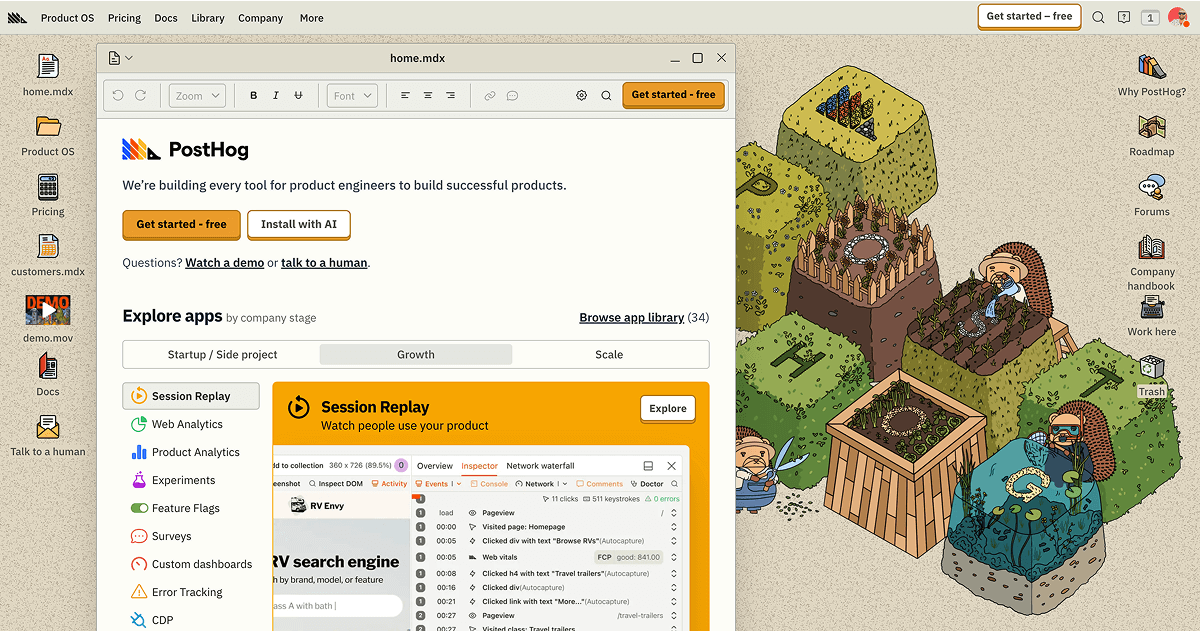
- Playful custom illustration set (hogzilla, 8‑bit, parade)
All-in-one dev tools that already know your product and automate the grunt work, from analysis to bug fixes to pull requests, so product engineers ship faster.
PostHog speaks to product engineers with a builder’s voice and shows working examples in Slack and CLI form. The promise centers on a self-driving product stack that diagnoses, fixes, and ships without prompting, stitched into existing workflows.
Positions the platform as an autonomous co-worker inside the tools engineers already use, not just a dashboard. Concrete developer affordances like Slack threads that create PRs and a CLI wizard underscore an agentic, workflow-native approach.
- Shift your product into self-driving mode
- PostHog automatically diagnoses problems, fixes bugs, and generates pull requests – all without you having to prompt it.
- Tag @PostHog in a thread to analyze customer behavior or create a PR – all without ever leaving Slack.
- PostHog Signals runs analysis on errors, logs, and summarized session recordings to detect and fix bugs without any human prompting.
- PostHog has 250+ data and analysis tools that are stitched together on-the-fly
- “Join 500,000+ teams already shipping with PostHog.”
- “PostHog automatically diagnoses problems, fixes bugs, and generates pull requests… without you having to prompt it.”
- “Tag @PostHog in a thread to analyze customer behavior or create a PR – all without ever leaving Slack.”
- “PostHog Signals runs analysis on errors, logs, and summarized session recordings to detect and fix bugs without any human prompting.”
- “PostHog has 250+ data and analysis tools that are stitched together on-the-fly.”
- “Supports Next.js, React, Python, and 21 more.”
- Compliance links in footer: SOC 2 and HIPAA
- Lead with what it does automatically, then show it in a realistic workflow.
- Use terse, technical verbs: analyze, fix, generate, tag, ship.
- Drop in-line code or CLI blocks to ground claims.
- Reference familiar tools and contexts (Slack, PRs, frameworks).
- Balance bold claims with specific mechanisms (errors, logs, session recordings).
- Do not lapse into vague innovation-speak without a workflow example.
- Do not over-explain basic concepts to engineers.
- Do not bury the lede; keep the automation claim up front.
- Do not use corporate formality or generic enterprise jargon.
- Do not separate features from where they live (keep Slack/CLI context).
Design style
how the interface looks and feelsCustom, characterful illustrations and mascots meet a clean, code-friendly layout. The interface feels fast and functional for engineers, with bursts of personality in art and headline treatments, and practical affordances like CLI snippets and Slack transcripts.
Color palette
10 colorsPrimary
The core brand color1Accent
Highlights, CTAs, and signals4Text
Headings and body ink3Surface
Backgrounds and canvases2A warm, high-contrast palette built on black and cream with deep gold and vivid amber/orange accents, punctuated by a vivid blue. The gold/orange family gives an energetic, maker vibe, while cream softens pure black for legibility and a slightly editorial feel.
Typography
4 typefacesHeadings
Display type and titles1Body
Paragraphs and UI text1Mono
Code and technical labels1Supporting
Secondary and accent faces1IBM Plex Sans for readable body copy with Source Code Pro for code blocks cements developer credibility. Open Runde for headings suggests modern, friendly geometry, while the presence of Impact implies occasional bold, poster-like headlines for attitude.
Export the brand kit
Assets
analyzed with gpt-5